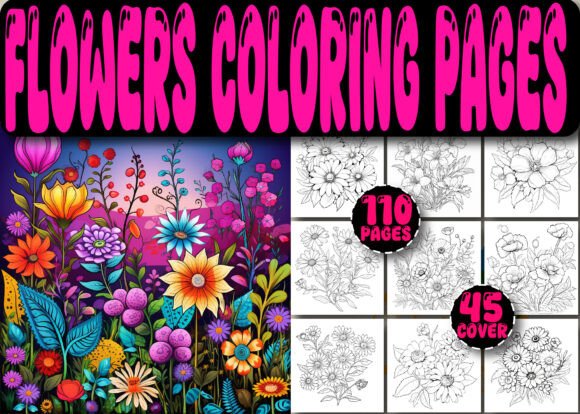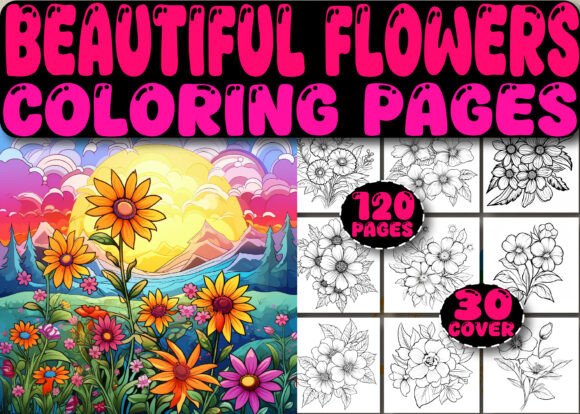
Books with Flowers Coloring Book Pages
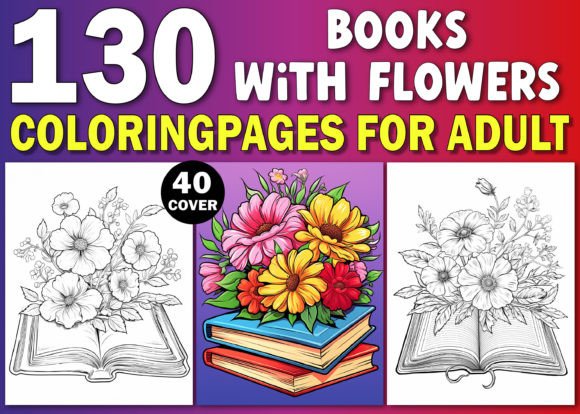
Books with Flowers Coloring Book Pages is a production-ready digital asset designed for creators building high-content books on Amazon Kindle Direct Publishing (KDP). It’s not a standalone product or a conceptual idea—it’s a fully tested, print-optimized interior package that integrates directly into your KDP publishing workflow. At its core, it’s 130 original floral coloring pages—each hand-crafted for clarity, balance, and visual appeal—delivered in three complementary formats: PDF (print-ready), JPG (300 DPI, A4/8.5×11″), and PNG (300 DPI, transparent-background compatible). Alongside the interior, you receive 40 vibrant, professionally designed KDP book covers—also at 300 DPI—ready to upload without resizing or editing.
Where This Fits in Your Publishing Process
This resource enters your workflow at the execution phase—not ideation, not research, but when you’re ready to build, test, and launch. If you’ve validated demand for floral-themed coloring books, assessed category competition, and confirmed your target audience responds to botanical motifs, Books with Flowers Coloring Book Pages becomes your production accelerator. It eliminates the need to commission illustrations, source royalty-free assets, or manually format files for KDP’s strict requirements. You skip the iteration loop of testing line weight, bleed margins, and grayscale compatibility—because every JPG and PNG has already been stress-tested on actual printed proofs and live KDP listings.
For entrepreneurs running multiple KDP titles, this isn’t just convenience—it’s consistency. Each page maintains uniform stroke thickness, balanced negative space, and intentional detail density. That means your “Floral Fantasy” volume and “Botanical Calm” volume share an unmistakable visual signature—strengthening brand recognition across your catalog without requiring custom design per title.
How It Integrates With Your Existing Tools and Platforms
You don’t need new software to use Books with Flowers Coloring Book Pages. The JPG and PNG files open natively in Canva, Adobe Photoshop, Affinity Photo, or even Microsoft Word (for basic layout checks). The single PDF file is pre-assembled as a full interior—ready to upload directly to KDP after adding your title page, copyright notice, and back matter. No re-pagination. No font embedding issues. No margin recalculations.
If you use automation tools like Publisher Rocket or KDSpy to analyze keyword performance, this asset supports rapid A/B testing: run one version with “Flowers” in the title and subtitle, another with “Botanical,” and a third with “Garden.” Since the interior is identical across all variants, differences in conversion rate reflect only messaging—not content quality or formatting reliability.
Educators and therapists who repurpose coloring content for workshops or client handouts can extract individual PNGs and drop them into Google Slides or Notion templates. The transparency layer allows clean overlays on lesson plans or mood-tracking sheets. Freelance designers working with small publishers can deliver polished mockups faster—using the included covers as base layers and swapping in custom typography or branding elements without redrawing floral outlines.
Practical Implementation Tips for Real Workflows
Before uploading to KDP: Open one JPG file in your image viewer and zoom to 200%. Check for stray pixels, inconsistent line breaks, or unintended gaps in petal outlines. While these files are production-ready, verifying one sample catches edge cases—especially if you plan to add watermarks or subtle textures later.
During layout assembly: Use the PDF as your master reference. When inserting JPGs into a new InDesign or Canva document, match the canvas size exactly to 8.5×11″ and set image resolution to 300 PPI. Avoid “fit to frame” scaling—instead, place each image at 100% scale and center manually. This preserves stroke integrity and prevents unintentional thinning or thickening of lines.
After listing: Monitor KDP’s “Bookshelf Previewer” closely during the first 48 hours. Even with perfect files, minor rendering shifts can occur depending on device type (e.g., Kindle Scribe vs. Fire tablet). If users report faint lines or clipping, cross-check against the original JPG—then re-upload the exact same file with no edits. Do not resave or re-export; KDP’s compression engine responds predictably only to untouched 300 DPI originals.
Quality Control and Long-Term Usability
Each of the 130 designs was created with dual-purpose fidelity: optimized for both physical printing and digital screen use. Line weights range from 0.4pt to 0.8pt—thick enough to survive home printer limitations but fine enough to support intricate shading techniques. No design exceeds 90% black (CMYK K=90) to prevent ink bleed on standard copy paper. And because all files are raster-based—not vector—you avoid unpredictable scaling artifacts when users zoom on Kindle devices.
Organization matters. The JPG and PNG files are numbered sequentially (001–130), matching the order in the PDF. There’s no alphabetical sorting by flower type, season, or complexity—because real-world publishing doesn’t require thematic sequencing. You decide whether “Tulip Trio” goes on page 7 or page 67 based on pacing, not taxonomy. That flexibility supports iterative refinement: if early reviews suggest users want more open-space pages for beginners, you can swap in lower-density designs from the middle of the sequence without disrupting numbering logic.
Workflow Integration Beyond KDP
While Books with Flowers Coloring Book Pages is built for KDP compliance, its utility extends into adjacent workflows. Bloggers writing about mindful productivity can embed individual PNGs (with attribution) in posts about creative breaks—linking directly to their KDP listing. Small business owners launching subscription boxes can license select designs for printable inserts—using the transparent PNGs to overlay florals onto branded packaging templates. Educators developing SEL (Social-Emotional Learning) curricula can pair specific pages with reflection prompts (“Which flower feels most like your energy today? Why?”) and export them as PDF handouts via Canva’s batch download feature.
Even if you’re not selling coloring books, this collection functions as a reusable visual library. Need a calming background for a Zoom waiting room? Extract a low-contrast floral PNG and apply a subtle Gaussian blur. Building a Notion dashboard for habit tracking? Paste a simplified bloom outline next to weekly goals. The files aren’t locked to one use case—they’re modular components calibrated for reuse, remixing, and repurposing across platforms where clarity and calm are strategic advantages.
What This Means for Your Output Consistency
Consistency in high-content publishing isn’t about repeating the same cover—it’s about maintaining predictable quality thresholds across titles. With Books with Flowers Coloring Book Pages, your baseline is fixed: 130 pages of uniform technical execution, paired with 40 cover options that share color palettes, typography spacing, and compositional rhythm. That reduces cognitive load when managing five or fifteen active KDP titles. You spend less time troubleshooting file errors and more time optimizing metadata, testing ad sets, or refining your author bio.
Over time, this consistency compounds. Readers who buy your “Spring Blossoms” volume are more likely to recognize and trust your “Wildflower Field Guide” volume—even if they don’t know your name—because the line work, spacing, and visual breathing room feel familiar. That’s not branding through repetition. It’s branding through reliability.
Books with Flowers Coloring Book Pages doesn’t replace strategy. It removes friction between strategy and execution—so your planning translates cleanly into published output, your testing yields actionable data, and your scaling stays grounded in reproducible quality.